
Connect your laptop to your TV
Open the secure URL in a new browser window, then connect your laptop to the TV with HDMI or another display cable.


Play songs from your unpublished playlist
Use physical Bopster cards with your device camera.
Play using curated digital song lists.
Start an automated game night using AI or your playlists. No scanning required!
Loading...
Error with starting the QR scanner, please check your camera permissions and try again. Below you can upload a QR code as an image or you can switch modes to online playlists.
Loading...
Bopster Live on your TV has a complete new look! Try it out now, and experience your Bopster party on the TV.
Recently played songs (click to replay)
Latest FirstVisit our comprehensive Knowledge Base to learn everything about Bopster Lives features and functionality.
Learn about QR scanning, playlists, scoring, settings, and more
Start scanning your cards or play a published list right from your homescreen.
Send the audience view to a bigger screen while keeping the Bopster Live controls on this device.
Use Chromecast on your TV, smart hub, or another compatible device to stream Bopster.
Choose the setup that works best for your room. Your Bopster Live window always remains the remote control.
Open the secure URL in a new browser window, then connect your laptop to the TV with HDMI or another display cable.
Screen-share the Big Screen window for everyone while keeping the controls in your private Bopster Live window.
Open bigscreen.bopster.app in the TV browser, enter the session code, and enjoy Bopster Live without Chromecast.
On your TV, open bigscreen.bopster.app and enter the session code. The complete private URL also opens the display directly. Press “Start Big Screen” once so the browser allows sound.
Bring every player into the game and put the full experience on almost any screen.
With Live Together, everyone at the party can join from their own phone, lock in a year, follow the current turn, and even steal a song guess. Players, points, and round activity stay synchronized across Bopster Live, Chromecast, and Big Screen Mode.
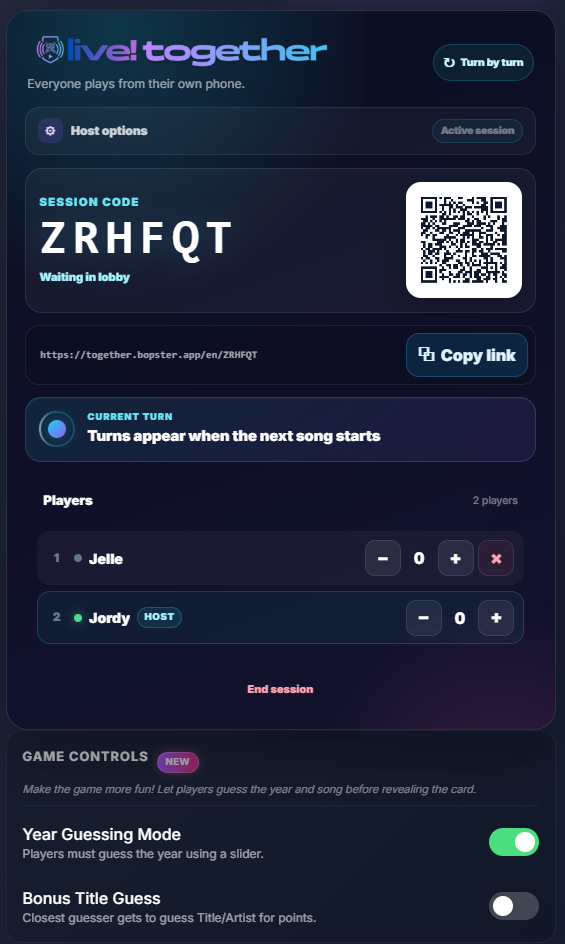
Open Scoreboard, choose Live Together, and create a session. Share the join link, or let guests scan the QR code shown on Chromecast or Big Screen Mode.
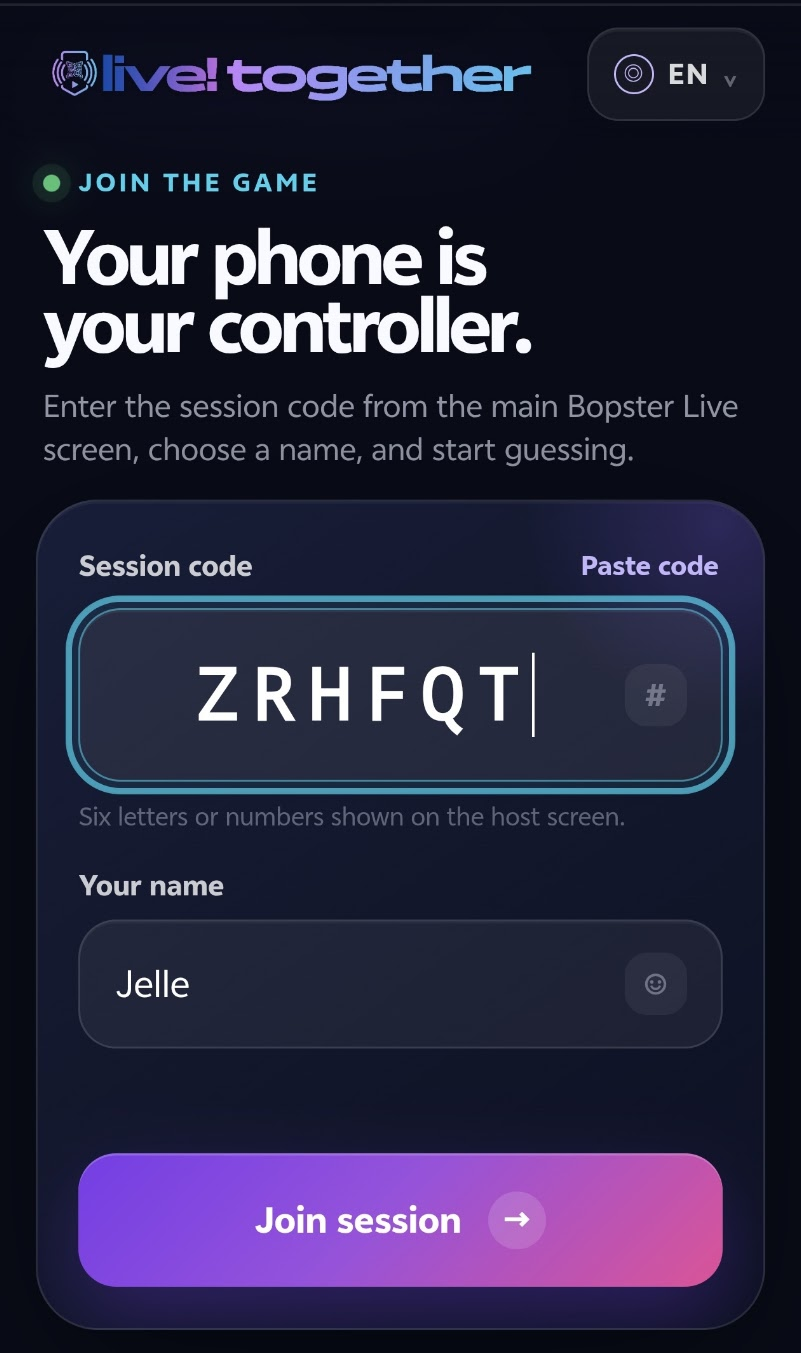
Guests open together.bopster.app, enter the session ID and their name, and they are ready to play.
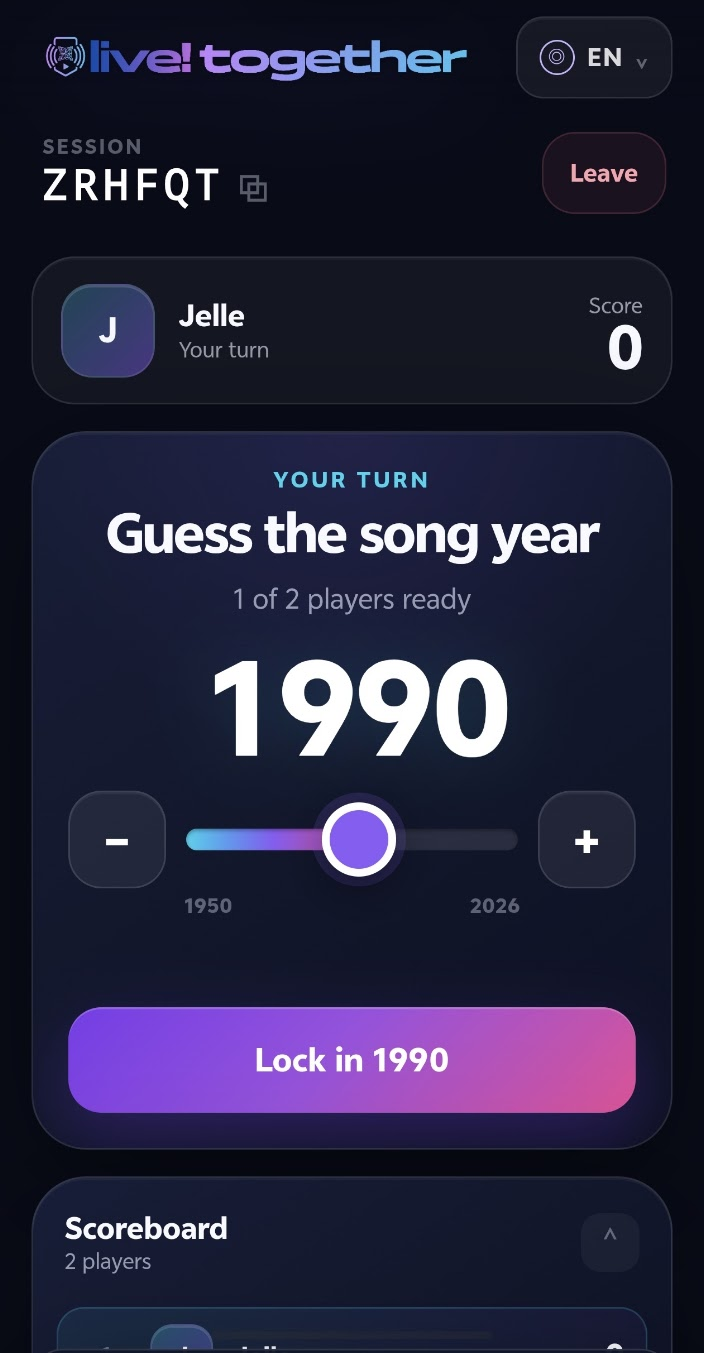
When the host clicks Reveal in Bopster Live, every connected player can lock in their guess from their own device.
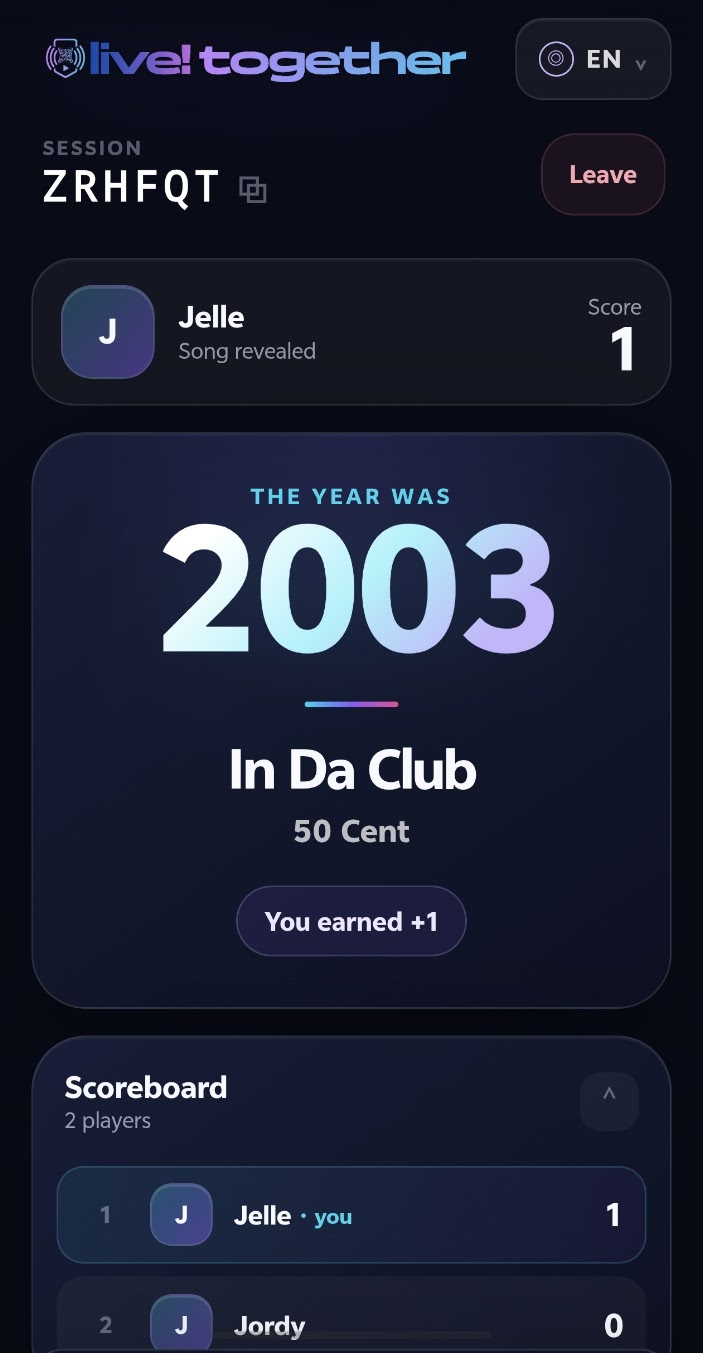
Once everyone has answered, the closest guess and updated scores appear instantly across the host screen and the TV display.